Databricks, MS Fabric, Reply & Explain

New Features

Fresh Integrations

  • Databricks is here!
    Connect your Databricks data warehouses and bring the power of Wobby to your entire lakehouse architecture. Your data engineers will love this one.

  • Microsoft Fabric Support
    We've heard you, Microsoft shops! Full integration with Microsoft Fabric is now live, complete with Azure AD authentication. One less barrier between your teams and their data insights.

Explorer Gets Smarter

  • Reply & Explain
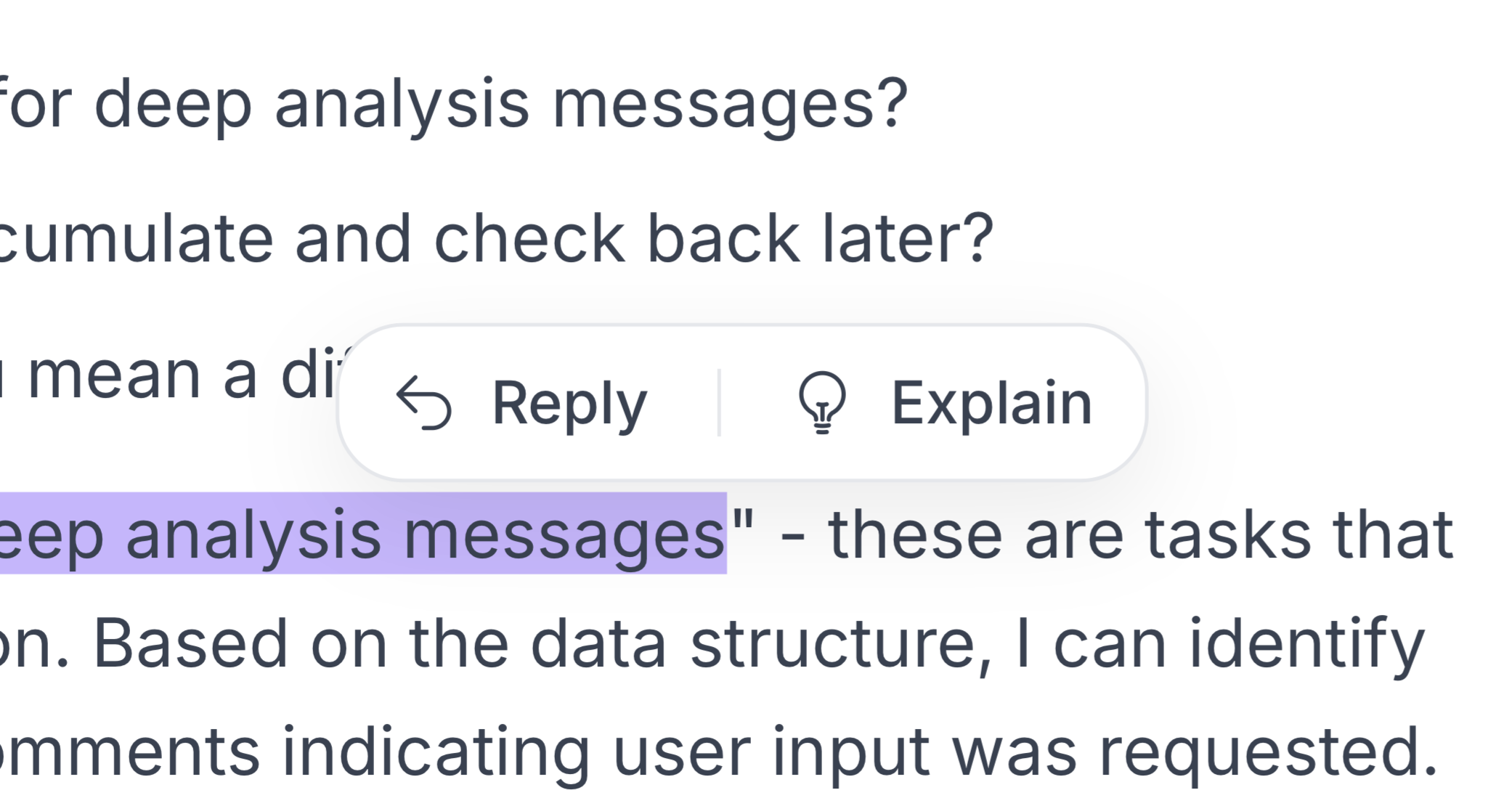
    Ever wondered how Wobby got to that answer? Now you can simply highlight any result and click "Explain" for the full breakdown. Want to dig deeper? Hit "Reply" to continue the conversation. It's like having a data analyst explain their work, step by step.

  • Deep Analysis Follow-ups
    Those comprehensive Deep Analysis reports you love? They're now conversational! Ask follow-up questions to clarify findings or explore new angles without starting over.

Major Improvements

Better AI, Better Analysis

  • Actual Report Summaries
    Deep analysis reports now start with meaningful, AI-generated summaries that actually tell you what was found (goodbye, generic placeholders!).

  • More Visualization Options
    We've added stacked column and bar charts because sometimes you need to see how parts make up the whole. Your presentations just got prettier.

Data Management Made Easier

  • CSV Gets Some Love
    Metadata quality scores aren't just for fancy databases anymore – your CSV files now get the same treatment.

  • Smarter Schema Syncing
    Changed your database schema? We've got you covered. Wobby now properly syncs changes, including automatically removing columns you've deleted. No more ghost columns haunting your analyses!

Bug Fixes

Database & Query Improvements

  • BigQuery Playing Nice
    Foreign keys in BigQuery? We see them now. Those timestamps that looked like JSON gibberish? Fixed – they're readable dates again.

  • SQL Templates Working Everywhere
    Parameter binding issues with Microsoft Fabric and MSSQL? Sorted. Your templates work consistently across all connections now.

  • MySQL Stability
    Squashed that pesky edge case causing connection timeouts. Your MySQL queries should run smoothly now.

Explorer & UI Polish

  • Smoother Task Submission
    No more endless loading screens when submitting tasks. Click, submit, analyze – as it should be.

  • Charts That Chart
    Fixed various rendering issues so your visualizations actually... visualize.

  • Clearer Login Experience
    Made the email verification and 2FA screens clearer because nobody should struggle just to log in.

  • Better Error Messages
    When data source connections fail, you'll now get helpful error messages instead of cryptic codes.

Performance & Reliability

Behind-the-Scenes Improvements

  • Reports That Finish
    Deep report generation no longer mysteriously stops halfway through. Your comprehensive analyses will complete as expected.

  • Charts That Work
    Fixed composer failures that were preventing certain chart types from generating properly.

  • Data Display Logic
    Resolved an issue where data rows were showing up when they shouldn't. Less confusion, more clarity.

Communication Enhancements

  • Slack Integration Stability
    Cleaned up several Slack issues including those annoying duplicate Explain buttons and improved response handling. Your Slack-based analytics should feel much smoother.

Questions or feedback? We'd love to hear from you! Reach out to your account manager or drop us a line at support@wobby.ai

MotherDuck, Passkeys, and a new lick of paint

What's New

Fresh Data Connections

  • MotherDuck is here!
    We've added support for MotherDuck cloud data warehouse—because your data should fly, not waddle

  • Smoother Data Management
    We've made selecting tables in your agents way more intuitive, plus you can now import and export metadata with just a few clicks

Security That Just Works

  • Passkeys Have Arrived
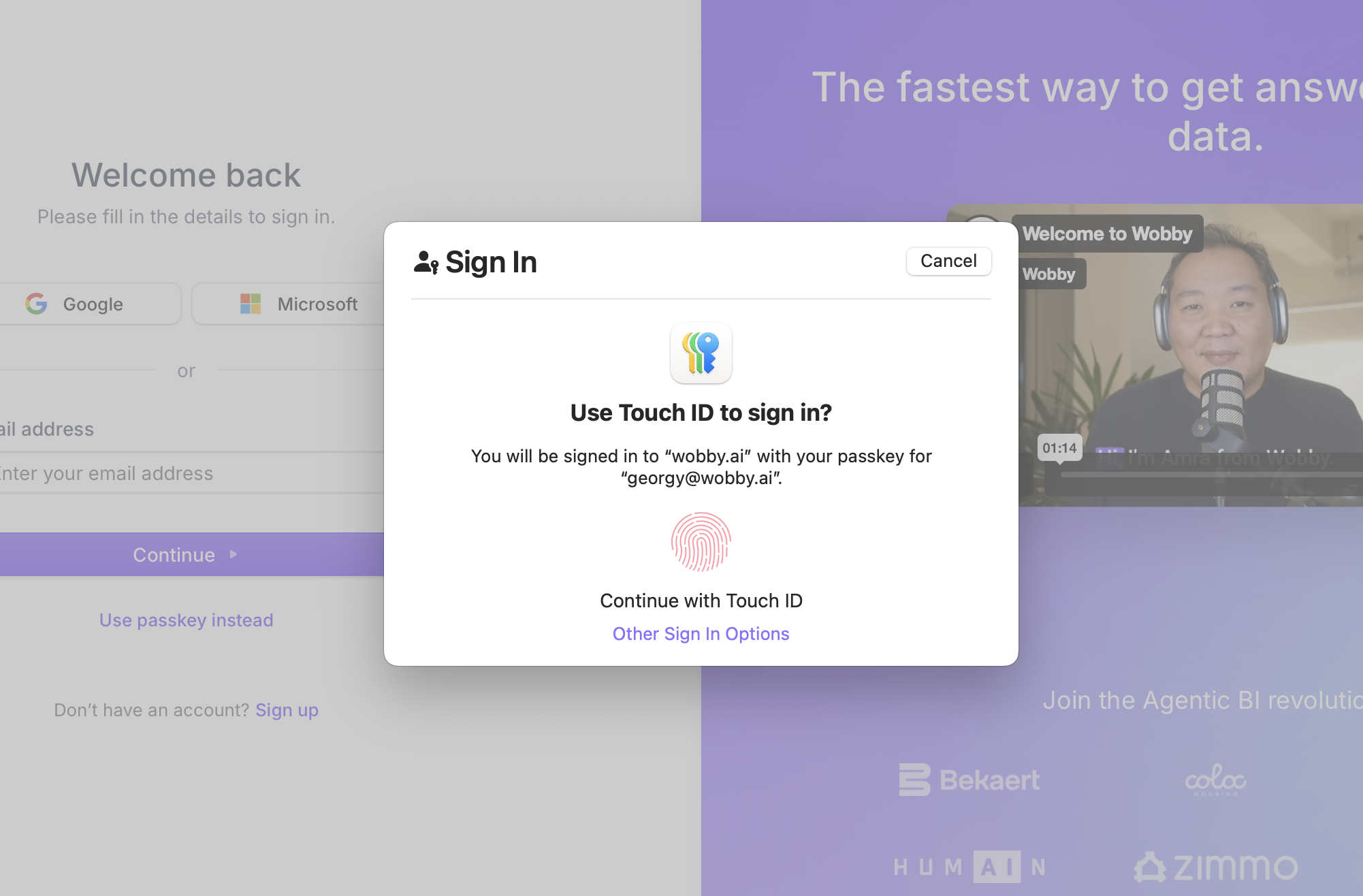
    Sign in with just a touch—no more password gymnastics required

Explorer Gets Smarter

  • Deep Analysis Leveled Up
    We've made it easier to follow along as your agent tackles complex analysis tasks with better progress tracking and clearer step visualization

Your Agents, Now Even Sharper

  • SQL That Actually Makes Sense
    Our query generation got a serious upgrade—expect more accurate templates that actually understand your data

  • Knowledge → Semantic Layer
    We've renamed Knowledge to Semantic Layer (because that's what it really is!) and added bulk operations plus those handy verification badges you've been asking for

  • Quick Debug Mode
    Spotted something odd? Jump straight from Explorer to Studio to see what's happening under the hood

Things We Made Better

A Cleaner, Clearer Interface

  • Explorer Got a Makeover
    We've redesigned the chat interface with better spacing and a layout that actually makes sense

  • Data Sources That Don't Confuse
    Reorganized navigation with clearer naming and consistent layouts throughout

  • Charts That Actually Chart
    Fixed those pesky horizontal bar chart labels and modernized our entire charting engine

Speed & Stability Wins

  • Explorer Loads Faster
    Home page loads quicker, less waiting around for your data insights

  • Errors That Help
    When something goes wrong, you'll actually understand what happened

  • Scrolling That Follows Along
    Chat conversations now scroll properly—no more losing track of the conversation

Squashed Bugs

The Big Ones We Fixed

  • Apparently, our authentication worked wonders except for cases when it mistakenly locked people out—no more of that now.

  • Charts show up instead of mysterious blank spaces

  • SQL queries execute without throwing tantrums

  • Organization names display correctly without breaking the entire layout

  • Mobile users can now actually complete onboarding in Explorer

Explorer & Studio Polish

  • That share button? It shares things now

  • Table previews stay in their lanes

  • Logo clicks take you where you'd expect

  • Deep Analysis comments have room to breathe

  • Progress trackers in Deep Analysis actually track progress

Under the Hood

  • Queries Run Smoother
    Database queries are more reliable and noticeably faster

  • Tasks That Don't Give Up
    Better retry logic means fewer failed tasks interrupting your flow

Better Integrations

Slack & Teams Love

  • Slack charts now share beautifully (no more screenshot workarounds!)

  • Messages format correctly, attachments attach properly

Data Platform Harmony

  • Setting up data connections is less of an adventure, more of a breeze

  • Metadata import/export now properly handles primary keys

  • Schema and table selection works consistently across all platforms

Introducing Wobby Explorer

The new way for business users to explore data and get insights through natural conversation.

Wobby Explorer is our biggest release this sprint - a dedicated interface that makes data exploration accessible to everyone in your organization, not just data teams. It combines the power of Wobby's AI agents with an intuitive chat experience designed specifically for business users.

  • Designed to be familiar
    Business users will feel right at home with features built specifically for them — from summarized execution steps to intelligent question suggestions that help discover insights

  • Best of both worlds
    Combines the analytical power of Wobby Studio with the simplicity of our messaging integrations (Slack/Teams), delivering a streamlined interface with beautiful interactive visualizations and data lineage transparency

  • Full mobile support
    Access Explorer on the go from any device - get insights wherever you are, whenever you need them

  • Customized by your data team
    Data teams can easily deploy and configure agents for Explorer, customize question suggestions, and ensure relevance for each team

  • Deep Analysis Mode
    Perform comprehensive multi-step data analysis with real-time progress tracking and detailed reports when you need to go beyond quick answers

  • Intelligent suggestions
    Agents proactively suggest relevant questions based on your data, helping users discover insights they might not have thought to ask about

Data Integrations

  • Microsoft Fabric Support
    Connect to Microsoft Fabric data sources with Azure AD authentication

  • Multi-Schema Support
    Work seamlessly with tables across multiple database schemas

Major Improvements

Enhanced Agent Intelligence

  • Smarter Data Understanding
    Agents now better understand relationships between tables and can handle complex multi-table queries more effectively

  • Improved Error Messages
    When data isn't available or queries can't be completed, agents provide clearer explanations and suggestions

Bug Fixes

Critical Fixes

  • Fixed issue where users could get stuck on the signup screen after registration

  • Resolved character encoding issues in Slack replies that caused garbled text

  • Corrected query template execution errors that were blocking saved queries

Data & Query Fixes

  • Fixed empty chart creation when data format was incompatible

  • Resolved SQL template parameter parsing issues in Slack integration

  • Improved handling of complex queries involving multiple data sources

Performance & Reliability

Query Engine Optimization

  • Significantly improved query execution speed and reliability

  • Better handling of large datasets and complex joins

  • Enhanced error recovery for failed queries

Usage Limits & Monitoring

  • Message Limit Warnings
    Get notified when approaching organization message limits

Integration Enhancements

Slack & Teams

  • Step-by-Step Visibility
    See detailed execution steps directly in Slack and Teams

  • Error Recovery
    More robust error handling for channel operations and permissions

Microsoft Teams and AWS Redshift

New Features

  • Microsoft Teams Integration
    You can now connect Wobby to channels in Microsoft Teams, so you can use Wobby wherever your company communicates. Check out the docs here, and feel free to reach out to us if you need any help or have feedback.

  • AWS Redshift Integration
    Introduced the AWS Redshift integration, allowing users to connect and query data from Redshift.
    Read the docs →

Improvements

  • UI/UX Enhancements
    Improved the user interface and user experience across many of the screens in Wobby as part of our month of housekeeping.

  • Slack & Teams Charts Formatting
    Refined the formatting of charts shared in Slack and Teams, addressing size, spacing, and readability issues.

  • SQL Query Display
    Enhanced the user experience in displaying SQL queries during deep analysis, making them more intuitive and accessible.

Bug Fixes

  • Mobile View
    Fixed the issue preventing the warning that Wobby Studio doesn't work on mobile from showing.

  • Chart Attachment in Slack
    Fixed an issue with chart attachments not displaying correctly in Slack.

  • BigQuery Querying Issue
    Resolved a querying issue in BigQuery that was causing errors in chart creation.

  • Table Results Pagination
    Corrected an issue with the pagination of table results, ensuring accurate display of data.

  • Deep Analysis Progress
    Fixed one of the main problems of computer science — the progress bar getting stuck at 99%. Now it will get stuck at 80%

Deep Analysis is in beta

New Features

  • Deep Analysis
    The new advanced research mode that creates comprehensive reports for complex business questions. Unlike Quick Analysis, which provides immediate single-turn answers, Deep Analysis creates a research plan and executes multiple targeted analyses to deliver thorough insights.

    Currently Deep Analysis is in closed beta. If you would like to try it, please reach out to your account manager, or email our PM George.

Bug Fixes

  • Off-Topic Intent Detection
    Resolved an issue where the model incorrectly classified certain follow-up answers as off-topic.

  • Handling of Missing Templates
    Addressed a bug where agents struggled with scenarios involving the absence of templates.

  • Chart Display Issues
    Fixed issues related to chart displays, including duplicate titles and problems with horizontal bar charts.

  • Definitions Display on App
    Corrected errors affecting the display of definitions within the app interface.

  • Table Usage Optimization
    Enhancements have been made to how tables are utilized within Wobby, especially in scenarios involving single-column or single-value tables.