Actian Data Intelligence Platform Connector & Public API

Up until now, Actian AI Analyst has been a place you go to. Today it becomes something you can build on top of.

Public API

You can now access your semantic layer and AI Analysts programmatically. Generate an API key in Studio under Settings → API Keys, and you're off. Keys are org-scoped, support optional expiry, and can be revoked at any time.

The API exposes your full semantic layer as structured JSON or YAML: models, metrics, glossary terms, and agents. Whether you're syncing definitions into another tool, building a custom UI on top of your analysts, or automating governance workflows — the data is now yours to work with directly.

Connect your Actian Data Catalog

Your organization has probably spent real effort defining what "revenue," "active user," or "churn rate" actually means — in Zeenea, the Actian Data Intelligence Platform. Now those definitions can flow directly into your AI Analysts, instead of living in a separate tool nobody checks.

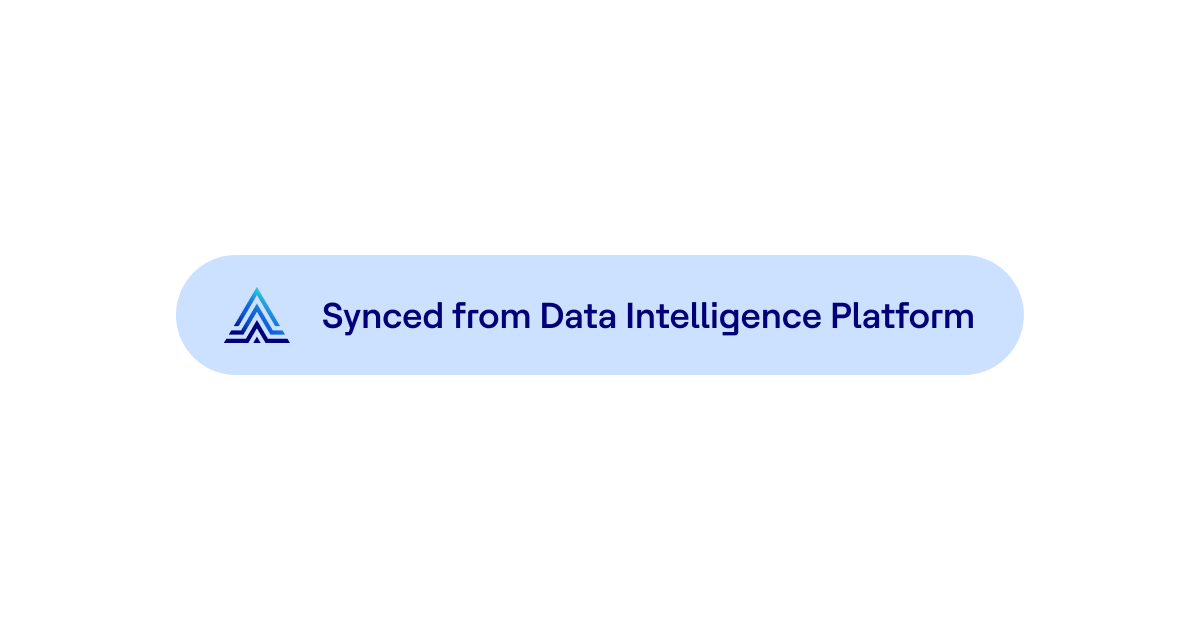
Connect your Actian Data Intelligence Platform catalog in Studio under Connections → Catalog. Once connected, your governed glossary terms — names, descriptions, synonyms, hierarchies, and links to physical data assets — sync into the Wobby glossary automatically on your chosen schedule. Synced terms show a clear "Synced from Actian" badge and are read-only in Wobby, keeping your catalog as the single source of truth. Your AI Analysts immediately benefit: they'll ground their answers in vocabulary your data team has already signed off on.

Saved Prompts

We have noticed that some of our users have started curating a small library of polished prompts for their specific use cases — different kind of reports, saved analyses, etc. Now you can keep this library in AI Analyst.

Data teams can now build a curated library of prompt templates for each AI Analyst in Studio (under the analyst's settings → Saved Prompts). Prompts support [placeholder] variables for the bits that change each time. Business users see these prompts in a new tab on the Explorer homepage — one click inserts the prompt into the chat with the placeholder already selected, ready to fill in. Typing / in the chat input also brings up a searchable dropdown of all saved prompts for that analyst.

Usage counts (last 30 days) are visible in Studio, so you can see which prompts are actually getting used and trim the ones that aren't.

Improvements

  • Line chart styling — AI Analysts can now render line charts with smooth curves instead of jagged segments, and distinguish between series using solid, dashed, or dotted strokes. Useful for overlaying actuals vs. targets, or making dense multi-line charts legible at a glance.
  • Unified notifications settings — Email and Slack notification preferences used to live on separate pages. They're now combined into a single page — each event type (Steward Inbox, Connection Failures, High Latency) has an Email and Slack toggle side by side.
  • Cleaner Slack connection page — The Slack settings page has been cleaned up and is more comprehensible.

As always, if anything looks off or you have feedback, send us a message. More soon!
And now… Steward never sleeps

Up until now, Steward has been reactive — you open a chat, ask it something, it helps. Great. But your semantic layer doesn't only need attention when you happen to ask. Dimensions break. Connections go down. AI analysts quietly struggle with metrics that aren't quite right. And none of that shows up anywhere unless someone goes looking.

Not anymore.

Steward is now proactive

Steward now runs in the background, continuously analyzing analyst conversations, monitoring your data connections, and keeping an eye on your semantic layer health. When it spots something worth your attention — a broken dimension, an unreachable data source, a recurring pattern of failed queries — it writes you a message.

Each message lands in the new Steward inbox with a clear explanation of the problem and a ready-to-go action plan. Approve the plan, and Steward gets to work fixing it. No log-digging. No piecing together what went wrong from a dozen different sessions. Just a to-do list that writes itself.

New connectors

  • ClickHouse
    ClickHouse is now a fully supported data source. Connect it, map your semantic layer on top, and your AI Analysts can start querying it right away.

  • Actian Data Platform
    Actian Data Platform (Ingres-based) is now supported as a data source, complete with a dedicated SQL dialect transpiler that handles Actian-specific SQL quirks correctly.

Improvements

  • Better AI Analyst management
    We've made it easier to keep your analysts organized: star analysts in the overview to keep your favourites front and center, a clear "Action Required" warning on analysts that aren't connected to the semantic layer yet, and Explorer now remembers which analyst you had open last.

  • Guided SemQL examples
    The "Add SemQL Example" button in glossary terms is now a smart dropdown with three paths: pull a query from an existing task, generate one with Steward, or write it manually. Cuts the confusion for teams trying to enrich their glossary without knowing SemQL by heart.

Bug fixes

  • 2FA setup is working again
    The TOTP setup flow in Security settings was broken due to an outdated API call. Fixed.
  • Language picker in Explorer
    The language selector was showing blank options. Fixed.
  • Chat history names not refreshing
    Conversation names in the history sidebar weren't updating after a rename. Fixed.
  • SemQL compiler edge cases
    The EXTRACT keyword and a handful of other parsing edge cases now compile correctly.

As always — if anything looks off or you want to share feedback, feel free to send us a quick message. Have a great week!

Goeiedag-bonjour, OSI!

Today we'd like to announce two new flashy features, both of which are about breaking down barriers. One is for language barriers, the other one — for interoperability barriers.

Open Semantic Interchange

Export and import semantic layers across tools like Snowflake, Databricks, and others. This way you can easily bring over any model definitions you might have in other tools to Wobby and vice-versa.

OSI is a very new standard, so comaptibility across different vendors may vary. Wobby currently fully supports the OSI 1.0 specification, and we will closely follow any developments to see how we can best implement them.

Read more in docs →

Five languages, one Wobby

The user interface of Wobby is now translated into five languages — English, Dutch, French, Portugese, and Japanese, with more coming. Wobby Analysts still remain polyglots, and can reply to you in practically any language.

More new features

  • @mention entities
    You can now @mention Semantic Layer entities in messages to Steward and AI Analyst instructions. These mentions keep connection even if you rename the entity.
  • Data source health monitoring
    You will now be promptly notified of any problems with connections to data sources, and have the tools to quickly diagnose and fix them.

Improvements

  • Keyboard shortcuts in many dialogs
    You might see keyboard shortcut hints on many buttons in Wobby soon, helping you move through the interface faster.
  • Steward's knowledge
    We taught Steward a bunch of things, like how to safely replace data sources in models, or how to delete stuff without breaking dependencies.
  • Geospatial Queries
    AI Analysts can now handle geospatial SQL queries with database-specific support (PostgreSQL, etc.). Previously, analysts would incorrectly refuse these requests.

Bug fixes

  • SemQL compiler now compiles
    CTEs, nested aggregations (e.g., MAX(COUNT(...))), and measure references in HAVING clauses now work as they should.
  • Knowledge graph now graphs
    It would sometimes show a blank screen.
  • Steward no longer says "I'll start working" and then immediately terminates
    We won't lie, it was pretty funny. We are, however, sorry if it happened to you — now it shouldn't.
  • Steward rollback rolls back
    It no longer fails with "Reverted 0 entities"
  • Analysts go the extra mile
    Analysis no longer prematurely terminates after 1 iteration with a false "takes too long" warning
  • ...and roughly 20 other bugs too small to explain here

Have a great week, and feel free to send us a quick message if you run into any troubles. Tot ziens!

Back in an onosecond

Have you ever had a moment where instead of deleting your test model in Wobby, you delete the one you spent months polishing, and the only thing you can think is "oh no!" (aka the "onosecond")? Well we've got great news for you!

New features

  • Versioning
    Every time you (or Steward) make an edit to your semantic layer or agent configuration, Wobby takes a snapshot. You can easily view the list of snapshots, and easily roll back changes by reverting to an earlier snapshot. Pretty handy!

  • Recently Deleted
    So, deleted no longer means deleted. When you (or, again, Steward) delete something, it gets put into the "Recently Deleted" bin to give you a chance to undo that.

  • Backtrack Steward changes
    If it so happens that Steward misunderstood what you meant, and wreaked havoc on your semantic layer, you can easily revert all changes that Steward has done in one single click.

Improvements

  • MS SQL certificate support
    Connect to MS SQL databases that require SSL/TLS certificate verification.

  • Nested aggregation queries
    Complex calculations like activation rates and pivot tables with nested aggregations now work correctly.

  • Faster AI analyst responses
    Messages show instant loading feedback instead of multi-second delays.

  • Clearer data connection errors
    Helpful error messages when data warehouse connection fails, replacing confusing empty states.

  • Azure Synapse multi-schema support
    Select from multiple schemas when connecting to Azure Synapse databases.

  • Consistent number formatting
    Values in tables and summaries now display consistently throughout the app.

Bug Fixes

  • AI analyst conversation stability
    Fixed a crash that could interrupt AI analyst conversations mid-flow.

  • Duplicate message prevention
    Fixed an issue where pressing Enter could send the same message twice.

  • AI analyst creation fixed
    Resolved an issue that prevented creating new AI analysts.

  • Slack integration stability
    Fixed unexpected disconnections for Slack-connected AI analysts.

  • Data source deletion cleanup
    Deleting a data source now properly removes all associated models.

  • Decimal precision on measures
    Measures configured with decimal places now display correctly.

That's about it! Have a great week, and if you have any questions, hit us up on Slack or the support chat.

Amazing views

We've all had that weird table in a data warehouse that grew with the company, and is an architectural mess. Every time you query it, you need to join tables five levels deep, and then filter using ILIKE to filter out legacy rows from some pre-migration era, which weren't cleaned up because the budget wasn't approved and the person resposible retired.

Happens! (If it didn't happen to you yet, don't worry, eventually it will)

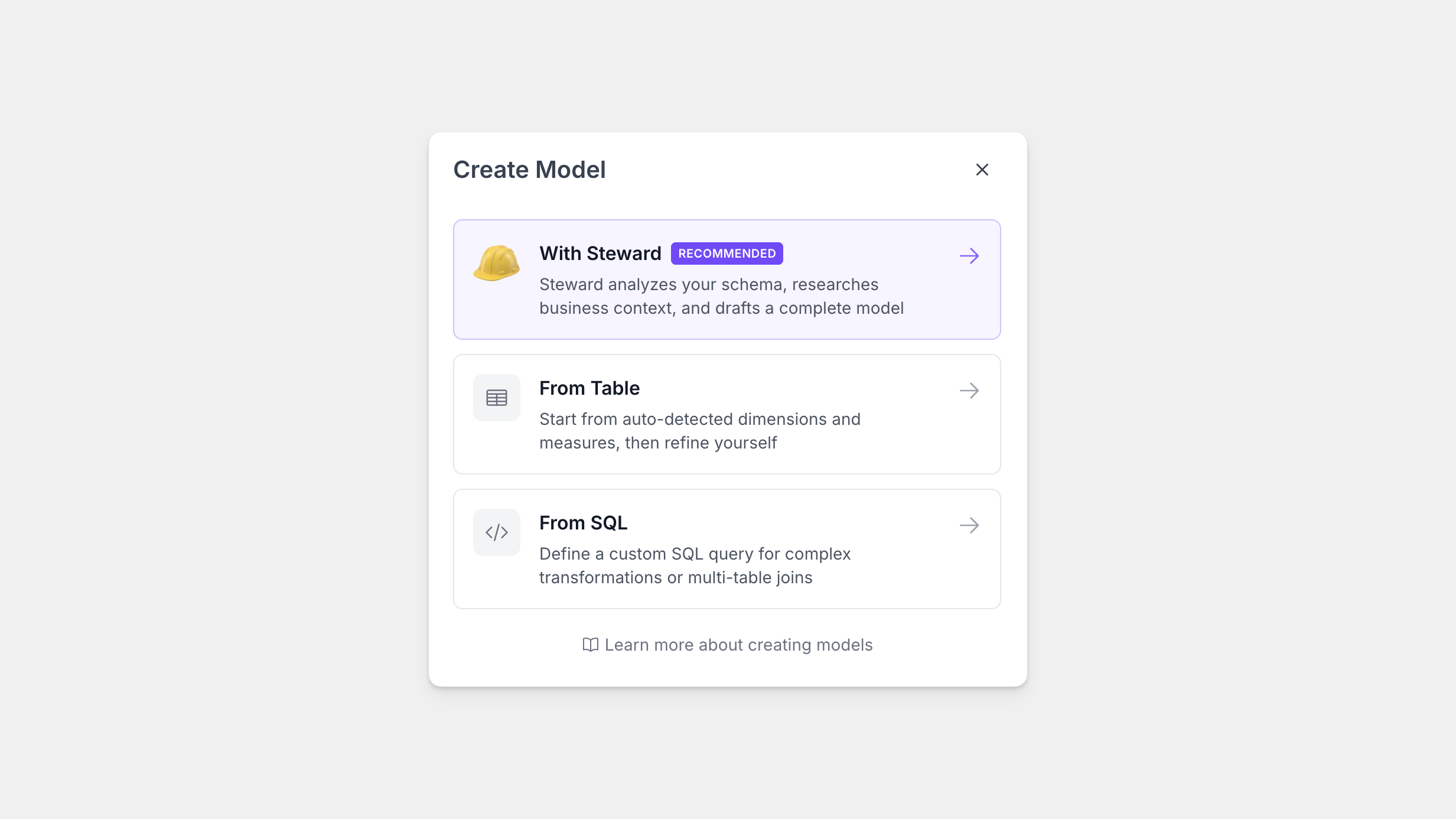
Now, you can save all of this logic in your Wobby Semantic Layer and create models based on a SQL query, not just a physical table, so that your AI analysts can navigate clean data and not get confused. If you're familiar with relational databases, imagine it like a SQL view.

Learn more in our docs →.