We are open for business!

First things first, after months of polishing, Wobby is now officially open to the public! We fixed papercuts, added new features, and saw first-hand the value Wobby brings.

Have you never used Wobby? Get a free trial for 2 weeks at wobby.ai and let us know how we can make it even better!

Already using Wobby at your company? Nothing will change for you! Feel free to reach out to us if you have any questions.

New Features

  • Onboarding
    Users starting out with Wobby will have a streamlined checklist allowing them to quickly get up and running.

  • Azure Synapse Integration
    You can now connect Azure Synapse data sources to Wobby agents.

  • Support Chat
    If you ever run into any problems, have feedback, or would just like to talk to us, click on the Intercom in the bottom right corner, and you will be connected straight to us.

Improvements

  • Query Template Design
    Redesigned the query template approach within agents, allowing for more flexible filtering and organization based on specific tags or departmental needs.

  • Agent Stubbornness
    Some users had issues with agents asking for a lot of re-clarifications, sometimes ending up in loops. We addressed some edge cases, and this should not be happening anymore. Thanks to everyone who highlighted this to us!

  • Submission Response Time
    Optimized backend processes to reduce the delay when submitting comments, ensuring faster interactions and updates within the user interface.

Bug Fixes

  • SQL Query Display in Slack
    Fixed an issue where incorrect SQL queries were being shown in Slack.

  • BigQuery Issue
    Resolved a connectivity issue with BigQuery, ensuring reliable data retrieval and analysis capabilities.

  • MSSQL Default Schema
    Fixed a bug where MSSQL was taking the default schema even when a specific one was provided, ensuring accurate data query execution.

  • Chart Display Error
    Addressed a bug that was preventing charts from displaying correctly for users.

Agents need Duolingo too, Claude 4, and usability improvements

Introducing Knowledge, the single place in Wobby for organizational knowledge.

Does your company have a lot of internal slang? Do you work in an industry with very domain-specific language? Are you using non-standard metrics? Now, Wobby agents can easily learn domain-specific language and organizational knowledge to provide more accurate, context-aware analysis.

What Knowledge includes:

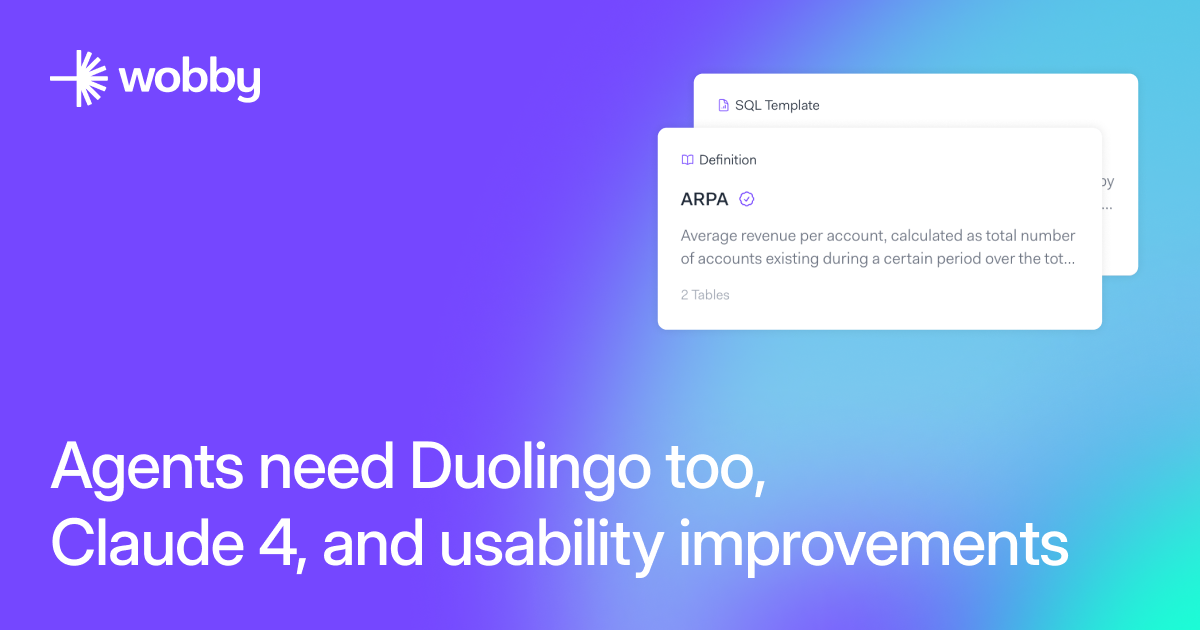
  • Company-specific definitions: Teach agents what "ARPA" means in your organization, or that "People team" refers to HR

  • Pre-approved SQL templates: Define how key metrics should be calculated (like revenue per region or customer churn rate) so agents always use the right formulas

  • Industry terminology: Help agents understand specialized terms unique to your business, like "paritair comité"

Think of Knowledge as an internal onboarding manual for your AI agents. Instead of generic responses, your agents now speak your language and understand your business context. This means more accurate insights, consistent calculations across teams, and agents that truly understand what you're asking for.

Knowledge is shared across your entire organization, so every agent benefits from the collective understanding – and it gets smarter over time as your team adds more context.

New Features

  • Claude 4
    Wobby can now utilize the new Claude 4 models recently released by Anthropic.

  • Schema View for Data Sources
    A new schema view is available to easily illustrate relationships within a data source, offering a quick glimpse into your data structure.

Improvements

  • Improve the Flow of Connecting Data Sources
    Refined the user experience when connecting data sources to streamline the process.

  • Improve Metadata Save UX for Table
    Improved the user experience for saving table metadata, ensuring smoother interactions.

  • Improve Error Handling in Agent Completions
    Improved error handling mechanisms within agent completions to better manage context window limits.

  • Improved Markdown Editor
    Fixed a bunch of rendering issues and added a formatting toolbar.

Bug Fixes

  • SQL Template and Validating Definition Issue
    Resolved the issue with linked SQL templates and definition validation to ensure accurate execution.

  • Slack Integration Reinstall Button
    Added a reinstall button to repair broken connections between Wobby and Slack.

  • Fix SQL Execution Issues
    Resolved SQL execution errors that caused duplication of rows in results, confusing the agent.

  • Fix Error Action Loops
    Corrected error action loop logic to prevent the continuous addition of warnings in traces.

  • Fix Agent 'Recently Used' in Sidebar
    Fixed the broken functionality of the 'recently used' section in the agent sidebar.

  • Fix 403 Error Refreshing Data Source
    Resolved the 403 error encountered when refreshing data sources.

  • Fix Delay in Task Submit
    Addressed delays experienced during task submissions to ensure timely processing.

Now You See Me, Now You Don't (+150 tables)

Something big is brewing at Wobby (stay tuned!). But we couldn't wait to share the good stuff we've already shipped: tons of bug fixes, UI polish, and those "why didn't we have this before?" features that just make everything click better.

New Features

  • Up To 150 Tables Per Agent
    The backend architecture of the agent has been changed to allow up to 150 tables to be linked to it.

  • Add Tables to Existing Data Source
    You can now add tables to an existing data source, enhancing flexibility and ease of data management.

  • New Data Agent Creation Screen
    When creating an agent, you can choose a template or start from scratch.

  • Markdown Editor for Instructions
    You can now write agent instructions in Markdown, and preview them in place.

  • Enhance Button for Agent Instructions
    A new LLM-powered "enhance" button has been added to improve the clarity and quality of agent instructions.

  • Hide Columns From Agents
    You now have the ability to hide specific columns within a table from the agent, useful for handling legacy, deprecated, or sensitive data.

  • Table Keys in Metadata
    Primary and foreign keys (PKs, FKs) can now be added and managed within table metadata, allowing the agent to more efficiently join tables together.

Improvements

  • Data Source Connection Flow
    The user experience of connecting data sources has been improved for a smoother setup process.

  • Reinstall Button for Slack
    A new button has been added to easily reinstall and reconnect Wobby with Slack.

  • Improved Clarification
    Improved accuracy in detecting the questions that require further clarifications.

Bug Fixes

  • Metadata Save Button
    Fixed an issue where the metadata save button was not functioning correctly.

  • Generated Metadata Description
    Resolved an inconsistency where generated descriptions were not being properly set in tables.

  • Common Pitfalls Not Saved
    Rectified a bug where common pitfalls were not being saved or passed to the agent.

New integrations: MariaDB, MS SQL Server, Snowflake

New Features

  • MS SQL, MariaDB and Snowflake General Availability
    Implemented end-to-end connection support for new data sources, allowing seamless integration and querying capabilities. Read the docs →

  • Reusable Artifacts
    Agents can now follow up on previously made artifacts like charts and tables, without needing to re-run the same query, saving you time

Improvements

  • Query Templates
    Added better error handling for execution, and ability to run query templates in the editor without saving them

  • Data Sources Tab
    The data sources tab in the agent builder interface now supports filtering and search

  • Answerability Check
    The answerability check model has been improve to reduce the rate of false negatives

  • CSV Uploads
    Improved error handling during CSV uploads to provide you with accurate information on how to prepare data for upload to Wobby.

Bug Fixes

  • Slack Integration Bugs
    Addressed multiple issues causing errors in Slack integration, including follow-up message handling and repeated messages.

  • Query Template Bugs
    Fixed various bugs related to query template execution, including parameter handling, approval status display, and description saving.

  • SQL Execution and Query Engine Bugs
    Resolved issues with SQL execution errors, and queries that use columns that use JSONB types.

Revamps

  • Connect Data, Agents, and Templates at Organization Level
    Data, agents, and query templates are now connected at the organization level by default, improving data management and visibility.

  • Rebrand to Wobby Studio
    The authoring interface you might be familiar now is getting rebranded to Wobby Studio, to prepare for the general availability of Wobby Explorer.

BigQuery is here, colorful charts, and lots of bug fixes

New Features

  • BigQuery Integration
    Added end-to-end connection support for BigQuery, including metadata ingestion. Check out the docs and shoot us an email if you run into any problems!

  • Answerability Detection
    The agent now detects if a question is answerable, enhancing reliability by suggesting alternatives for unanswerable queries. For example, if your dataset does not have a "gender" column, the agent will quickly determine that it cannot answer questions based on gender.

  • Plan Confirmation
    If you enable this skill, the agent will confirm the analysis plan with you before starting, giving you the opportunity to make edits and correct misunderstandings. You can enable this skill in agent settings.

Improvements

  • Faster table metadata processing
    Made some enhancements on how table metadata is processed. Now, adding new data sources should be a lot faster.

  • Improved Query Template Error Handling
    Enhanced error reporting for query templates to provide clearer diagnostics.

  • Theme Customization for Charts
    Users can now modify the theme of charts for better alignment with their preferences.

  • Query Templates Improvements
    Enhanced the system for selecting the right query template, increasing agent accuracy.

Bug Fixes

  • Slack Functionality
    Resolved issues with Slack messages not working, restoring full functionality.

  • Query Template Execution
    Fixed parameter issues and permission errors during query template execution.

  • SQL Execution Failures
    Addressed internal server errors during SQL execution, stabilizing the process.

  • Date Formatting Issues
    Corrected date formatting errors in specific datasets, ensuring accurate data interpretation.

  • Query Template Approval Bug
    Resolved an issue with query templates not showing as approved after editing.

  • PostgreSQL Connection Flow
    Ensured data source connection does not proceed with zero selected tables.

Security Enhancements

  • Credentials Security Improvements
    Your database credentials are now even more secure.