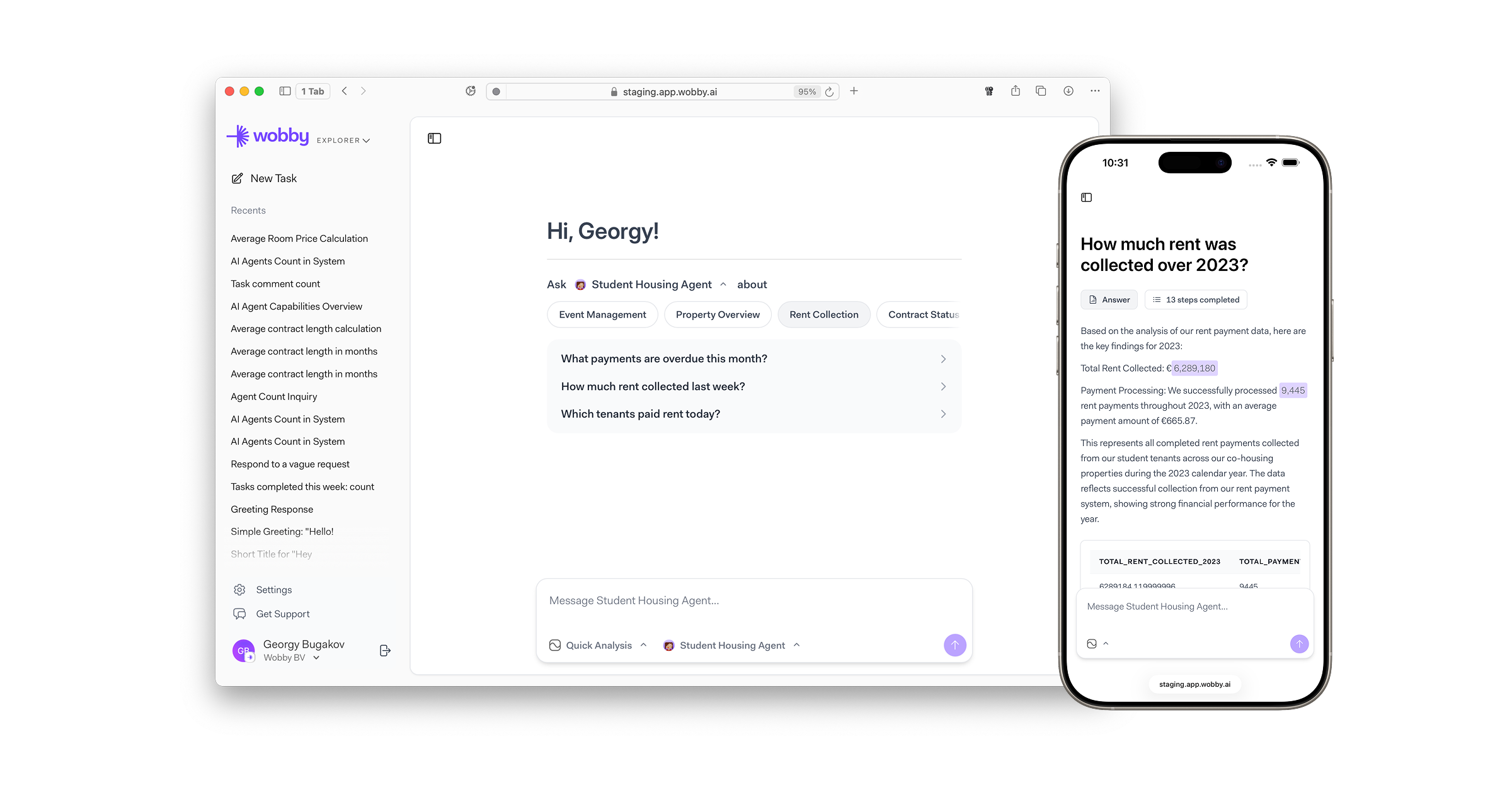
The new way for business users to explore data and get insights through natural conversation.
Wobby Explorer is our biggest release this sprint - a dedicated interface that makes data exploration accessible to everyone in your organization, not just data teams. It combines the power of Wobby's AI agents with an intuitive chat experience designed specifically for business users.
-
Designed to be familiar
Business users will feel right at home with features built specifically for them — from summarized execution steps to intelligent question suggestions that help discover insights -
Best of both worlds
Combines the analytical power of Wobby Studio with the simplicity of our messaging integrations (Slack/Teams), delivering a streamlined interface with beautiful interactive visualizations and data lineage transparency -
Full mobile support
Access Explorer on the go from any device - get insights wherever you are, whenever you need them -
Customized by your data team
Data teams can easily deploy and configure agents for Explorer, customize question suggestions, and ensure relevance for each team -
Deep Analysis Mode
Perform comprehensive multi-step data analysis with real-time progress tracking and detailed reports when you need to go beyond quick answers -
Intelligent suggestions
Agents proactively suggest relevant questions based on your data, helping users discover insights they might not have thought to ask about
Data Integrations
-
Microsoft Fabric Support
Connect to Microsoft Fabric data sources with Azure AD authentication -
Multi-Schema Support
Work seamlessly with tables across multiple database schemas
Major Improvements
Enhanced Agent Intelligence
-
Smarter Data Understanding
Agents now better understand relationships between tables and can handle complex multi-table queries more effectively -
Improved Error Messages
When data isn't available or queries can't be completed, agents provide clearer explanations and suggestions
Bug Fixes
Critical Fixes
-
Fixed issue where users could get stuck on the signup screen after registration
-
Resolved character encoding issues in Slack replies that caused garbled text
-
Corrected query template execution errors that were blocking saved queries
Data & Query Fixes
-
Fixed empty chart creation when data format was incompatible
-
Resolved SQL template parameter parsing issues in Slack integration
-
Improved handling of complex queries involving multiple data sources
Performance & Reliability
Query Engine Optimization
-
Significantly improved query execution speed and reliability
-
Better handling of large datasets and complex joins
-
Enhanced error recovery for failed queries
Usage Limits & Monitoring
- Message Limit Warnings
Get notified when approaching organization message limits
Integration Enhancements
Slack & Teams
-
Step-by-Step Visibility
See detailed execution steps directly in Slack and Teams -
Error Recovery
More robust error handling for channel operations and permissions